Sometimes you only need part of a PDF: one chapter of a manual, a single invoice from a monthly bundle, or the signed pages of a contract.
In this guide I will show you how to split a PDF with Browser File Tools (https://browserfiletools.net/pdf-split), a free tool I built. You can see every page before you cut, and the file is processed entirely in your browser.
For the background on why I built it, see the overview post: Free PDF Merge & Split With No Sign-Up, No Paywall, and No Uploads
Before you start
- You need one PDF file.
- It works in any modern browser, on desktop or mobile.
- No sign-up, no install, no upload.
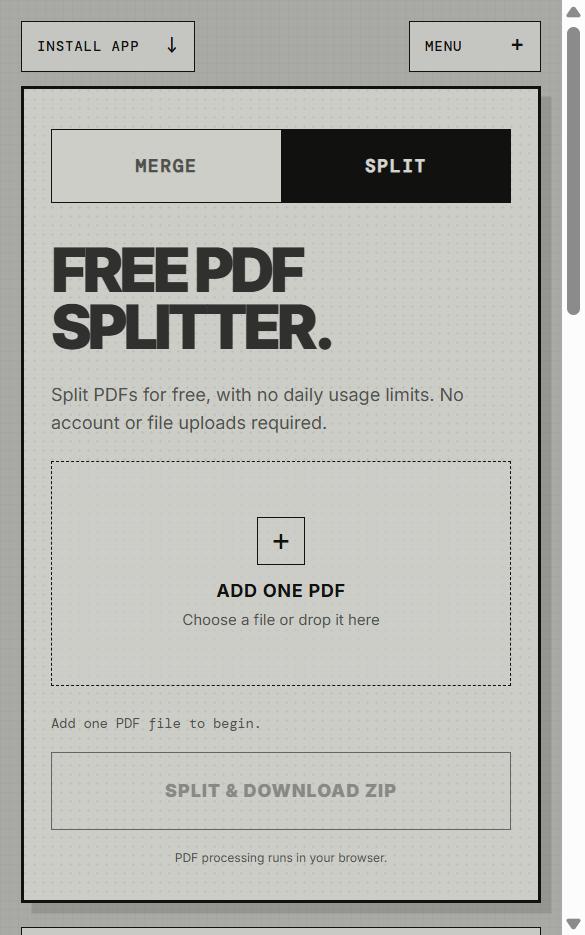
Step 1. Open the PDF Split tool
Go to https://browserfiletools.net/pdf-split, or click the SPLIT tab on the home page.
Step 2. Add your PDF
Click ADD ONE PDF, or drag the file onto the box. The tool shows the file name and page count, then draws a thumbnail of every page.
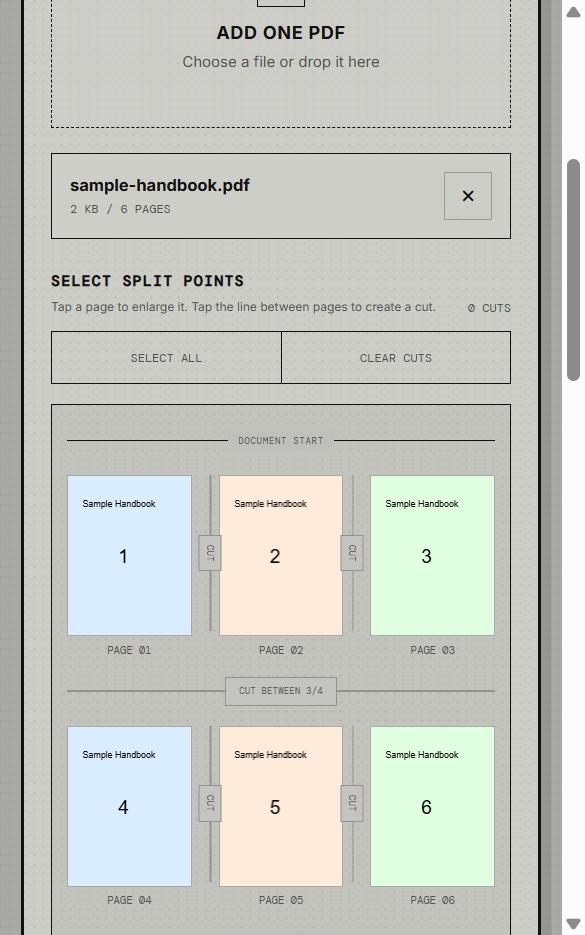
Tip: tap a thumbnail to enlarge it if you need to read the page.
Step 3. Choose where to cut
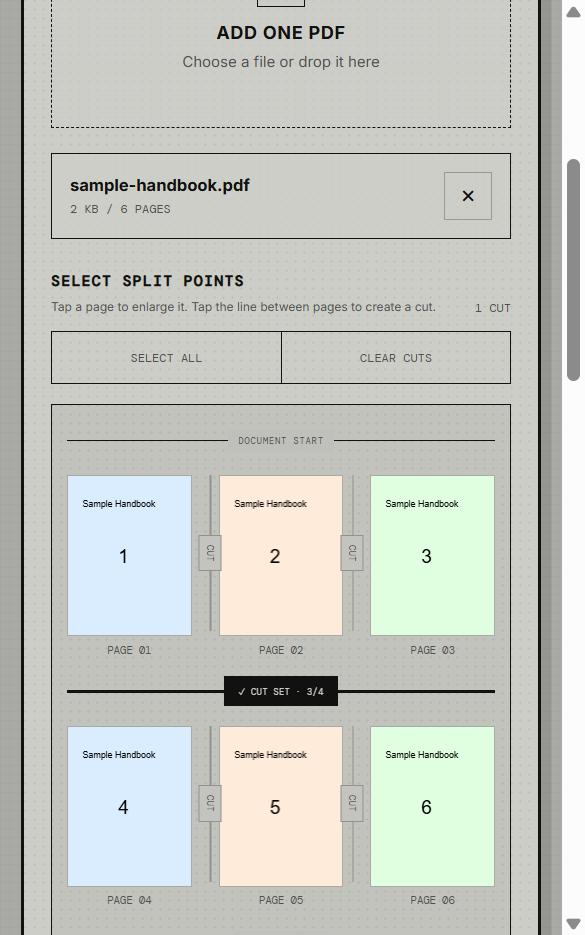
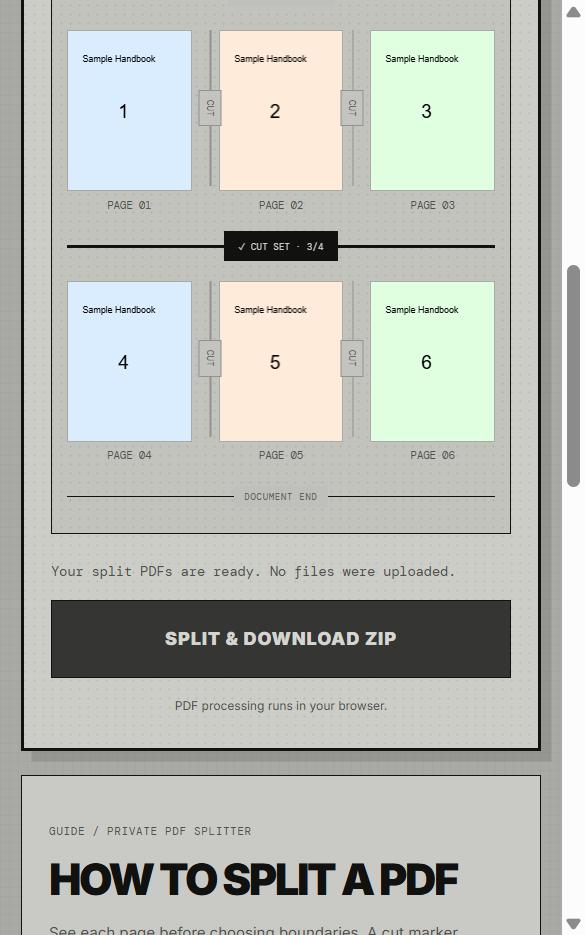
Between every pair of pages there is a small CUT line. Click a line to start a new document there.
In this example I clicked the line between pages 3 and 4, and it changed to ✓ CUT SET · 3/4.
Useful buttons:
- SELECT ALL puts a cut between every page, so each page becomes its own PDF.
- CLEAR CUTS removes all cuts so you can start over.
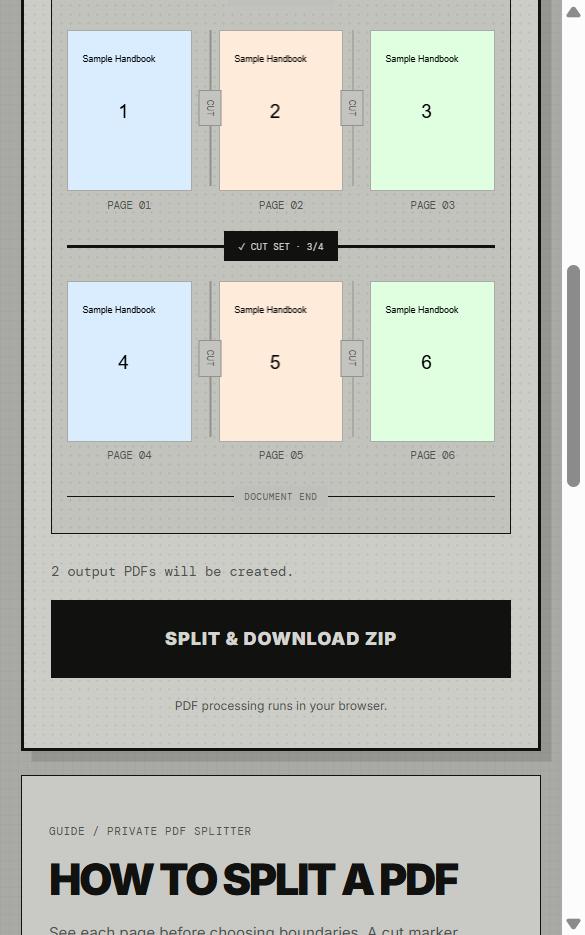
Below the pages, the tool tells you how many files you will get. Here it says "2 output PDFs will be created."
Step 4. Click SPLIT & DOWNLOAD ZIP
Click SPLIT & DOWNLOAD ZIP. You will see "Your split PDFs are ready. No files were uploaded.", and a ZIP file downloads.
Step 5. Open the ZIP
The ZIP contains one PDF per part, named clearly with its page range. In my test:
sample-handbook_part-01_pages-1-3.pdfsample-handbook_part-02_pages-4-6.pdf
Open each one to confirm the pages are what you expected.
FAQ
Can I split every page into a separate file?
Yes. Click SELECT ALL, then split.
Is it really unlimited?
There is no daily usage limit. Very large PDFs depend on your device memory.
Is my PDF uploaded?
No. The preview, splitting, and ZIP creation all happen in your browser. I checked the network activity during my test: only an anonymous usage counter (tool name and a random ID) was sent, and no file content.
Can I split a password-protected PDF?
Encrypted PDFs may not open. Use an unlocked copy that you have permission to use.
Related guide
Want to combine files instead? 👉 How to Merge PDF Files for Free in Your Browser
'Etc' 카테고리의 다른 글
| Free PDF Merge & Split With No Sign-Up, No Paywall, and No Uploads (0) | 2026.10.08 |
|---|---|
| How to Merge PDF Files for Free in Your Browser (No Sign-Up, No Upload) (0) | 2026.10.08 |
Comments